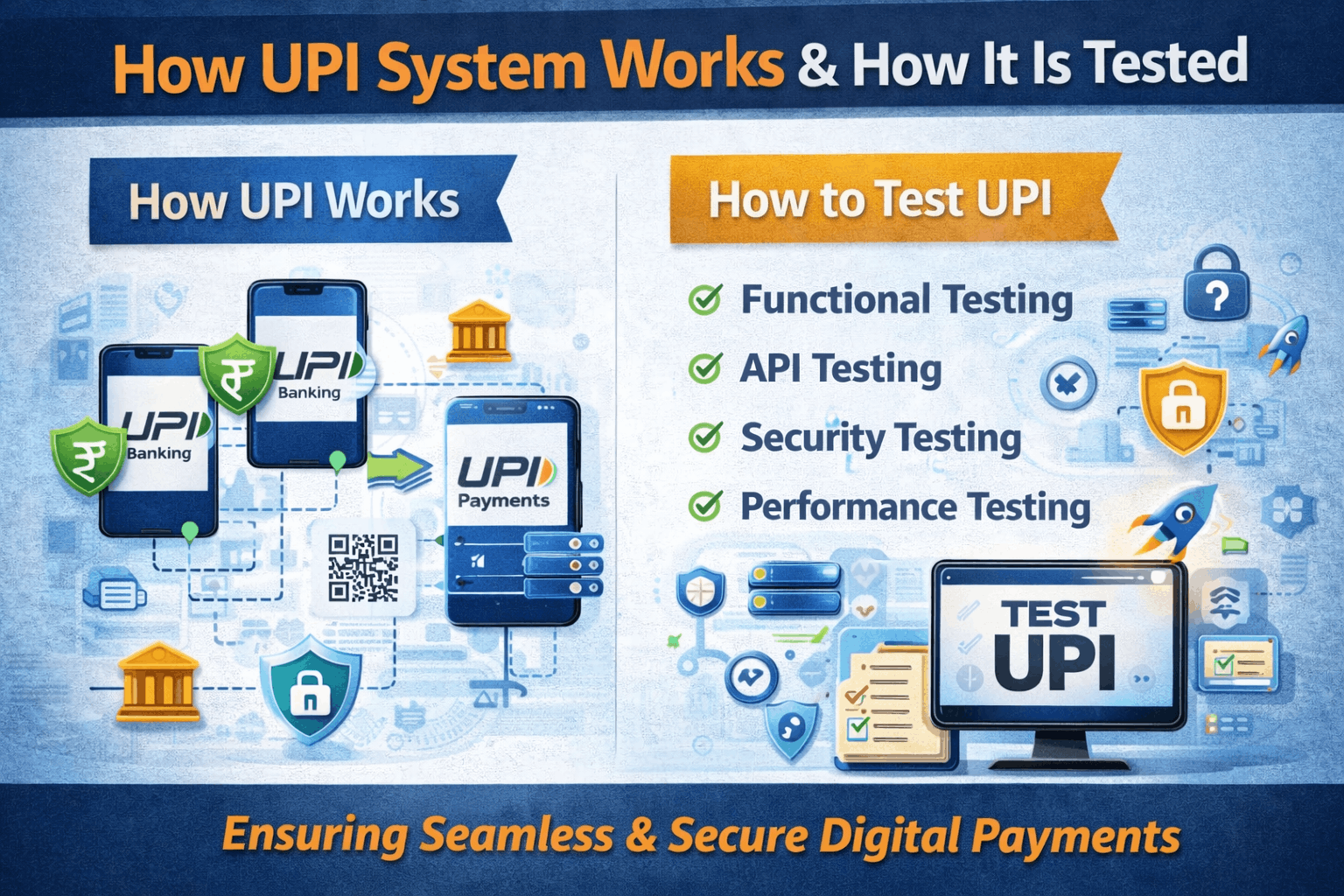
How UPI Works and How to Test UPI Systems
A Practical Guide for Engineers, Testers, and Product Teams


Introduction
Unified Payments Interface (UPI) has transformed digital payments in India. From paying a vegetable vendor to handling enterprise-scale merchant transactions, UPI processes billions of transactions every month with near real-time settlement.
Behind this simplicity lies a complex, highly regulated, distributed system involving banks, apps, networks, and security layers.
In this blog, we’ll cover:
How UPI works end-to-end
Key components of the UPI ecosystem
Transaction flows (P2P & Merchant)
Common failure scenarios
How to test UPI systems thoroughly
Test cases, tools, and best practices
What Is UPI?
UPI is a real-time payment system developed by National Payments Corporation of India (NPCI) that enables instant bank-to-bank transfers using a mobile device.
Popular UPI apps include:
Google Pay
PhonePe
Paytm
BHIM
Key Components of the UPI Ecosystem
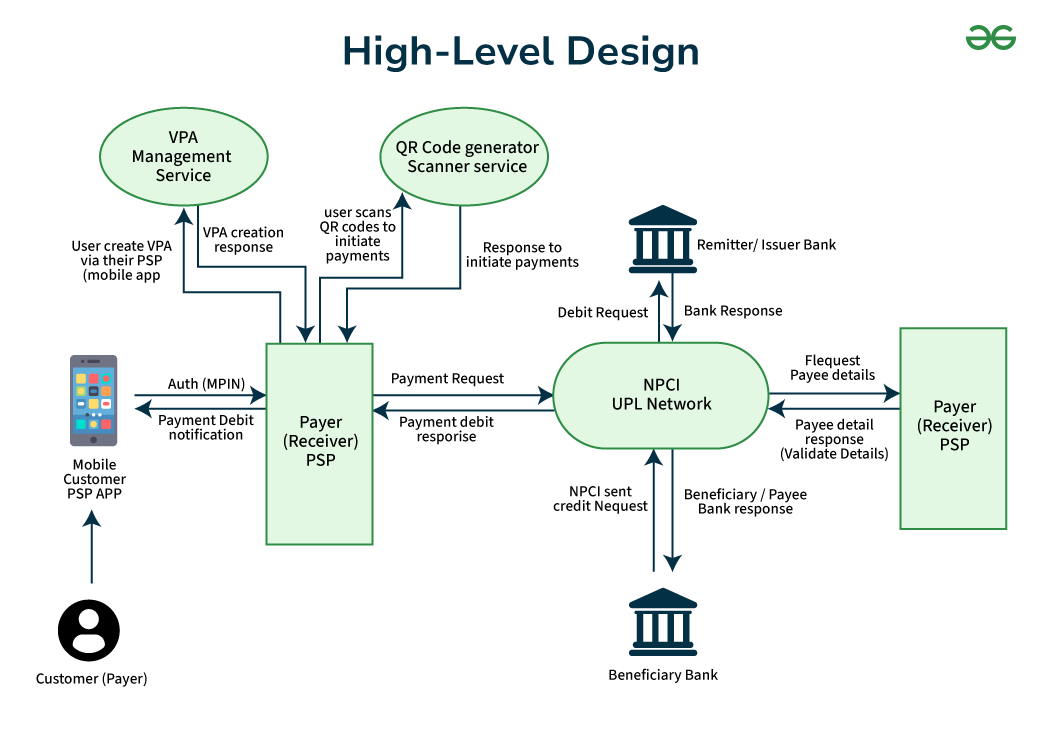

1. UPI App (PSP – Payment Service Provider)
Mobile application used by customers
Examples: Google Pay, PhonePe, Paytm
Handles UI, authentication, and request initiation
2. Issuer Bank
Customer’s bank
Verifies balance, authenticates UPI PIN, debits amount
3. Acquirer Bank
Merchant’s bank
Credits merchant account
4. NPCI (UPI Switch)
Routes transactions
Performs validations
Manages settlement and reconciliation
5. Merchant
Individual or business accepting payments
Identified via UPI ID or QR code
How a UPI Transaction Works (Step-by-Step)
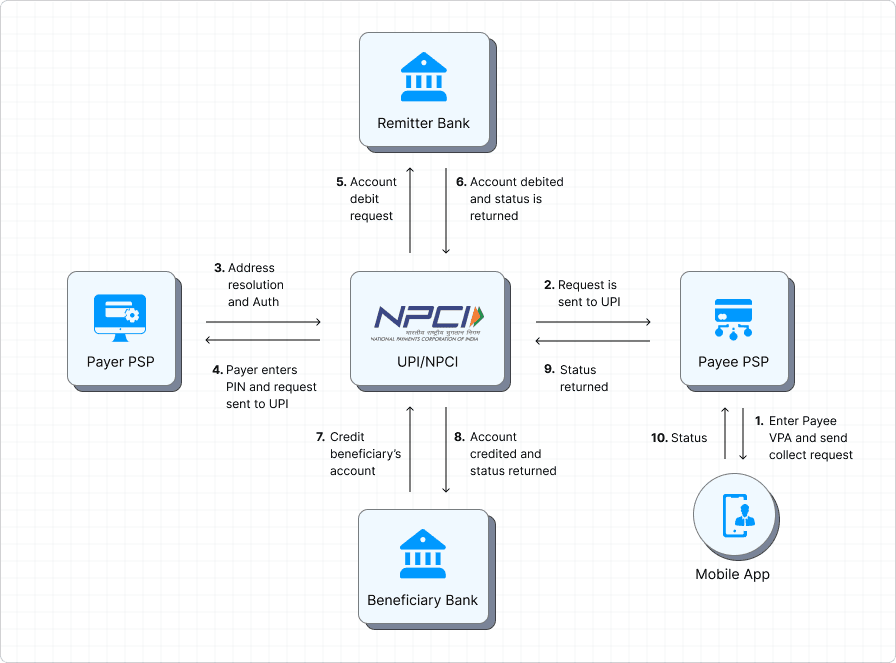
Example: Person-to-Person (P2P) Payment

User enters UPI ID or selects contact
Amount is entered
UPI app sends request to NPCI
NPCI routes to payer’s bank
User enters UPI PIN
Issuer bank validates:
PIN
Balance
Account status
Amount is debited
NPCI routes success response
Payee bank credits amount instantly
User receives confirmation
⏱️ Typical time: 2–5 seconds
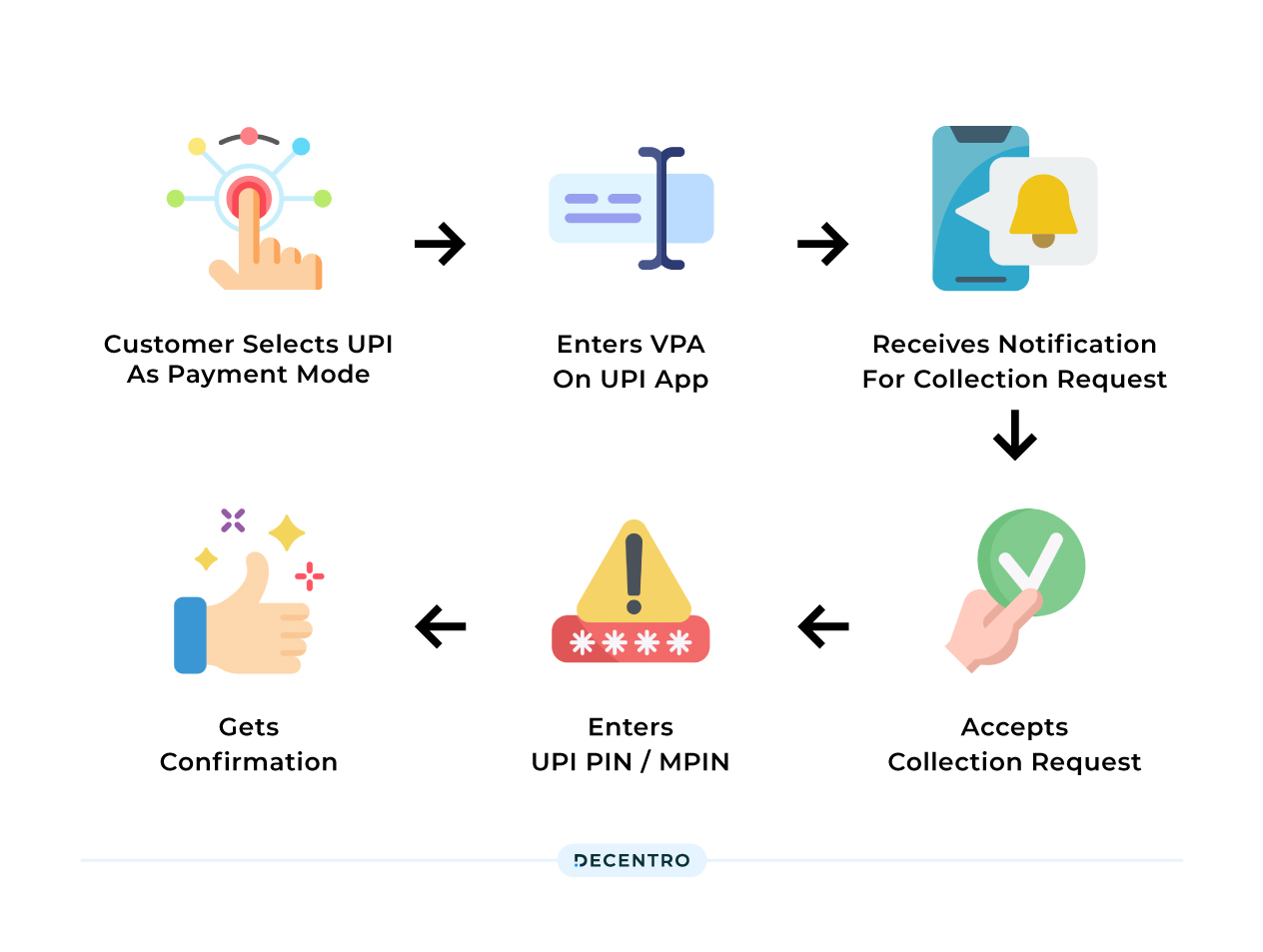
Merchant Payment Flow (QR-Based)
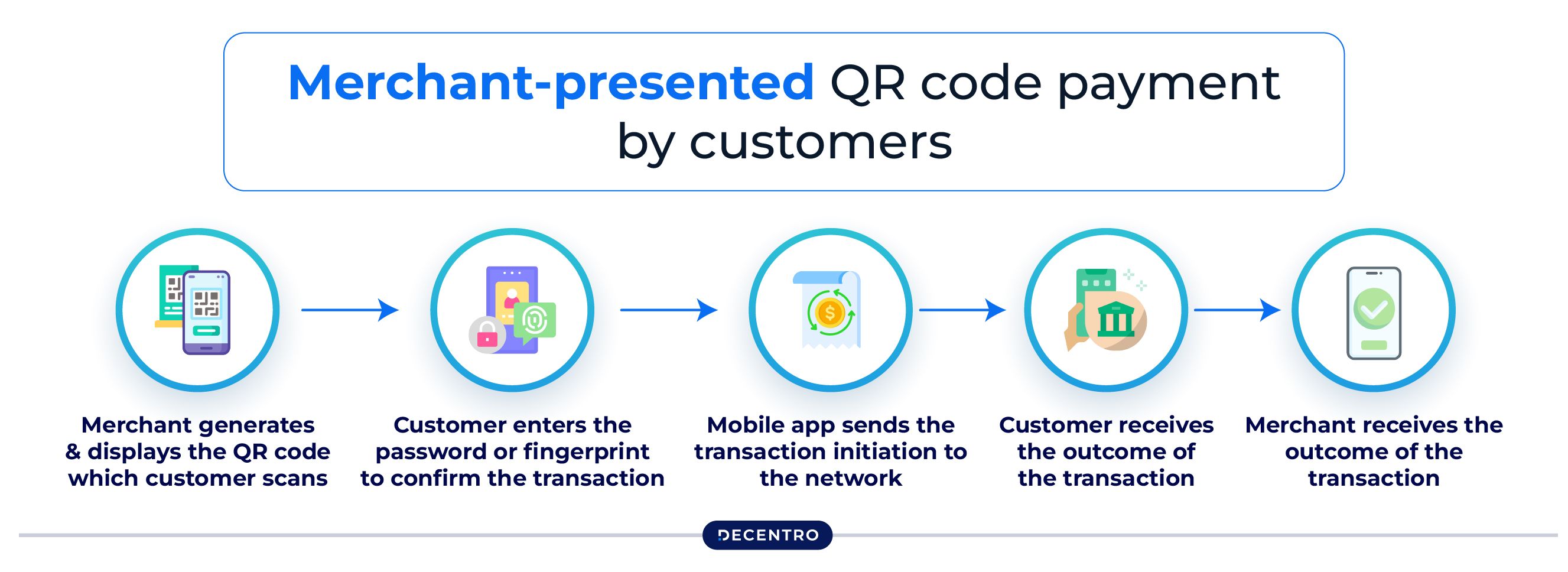

Merchant displays static or dynamic QR
Customer scans QR
App fetches merchant details
Amount entered or auto-filled
PIN authentication
Debit → Credit → Confirmation
Types of UPI Transactions
TypeDescriptionP2PPerson to PersonP2MPerson to MerchantCollect RequestPayee initiates requestAutoPayRecurring mandateQR PaymentsScan & PayIntent FlowApp-to-app payment
Common UPI Failure Scenarios
Understanding failures is critical for testing.
ScenarioExampleNetwork timeoutApp shows “Pending”Bank downtimeTransaction declinedInsufficient balanceDebit failureWrong PINAuthentication errorNPCI latencyDelayed confirmationDuplicate requestIdempotency issueReversal failureAmount stuck
How to Test UPI Systems
1. Functional Testing
Key Areas:
UPI ID validation
Bank linking
PIN creation & reset
Pay / Collect / QR flows
Transaction history
Sample Test Cases
Valid UPI ID + sufficient balance → Success
Invalid PIN → Failure with correct error code
Expired collect request → Auto-cancel
Duplicate request ID → Rejected
2. API Testing
UPI apps communicate with:
Bank APIs
NPCI APIs
PSP internal services
What to Test:
Request/response schema
Encryption & signatures
Idempotency keys
Error codes mapping
Retry logic
🛠️ Tools:
Postman
REST clients
Mock servers
Bank-provided simulators
3. Security Testing (Critical)
UPI is a financial system—security testing is non-negotiable.
Test Areas:
UPI PIN encryption
Man-in-the-middle attacks
Replay attacks
Session timeout
Rooted / jailbroken device detection
Rate limiting for PIN attempts
4. Performance & Load Testing
UPI peaks during:
Festive sales
Bill due dates
Flash merchant offers
Test Scenarios:
10x traffic spike
Concurrent PIN validations
NPCI latency simulation
Bank response delays
Metrics to monitor:
TPS
Success rate
Average response time
Pending vs completed ratio
5. Failure & Reconciliation Testing
One of the most important yet ignored areas.
Test:
Debit success, credit failure
NPCI success, app timeout
Bank success, app crash
Auto-reversal timelines
Manual reconciliation flows
6. Compliance & Certification Testing
UPI apps must pass:
NPCI certification
Bank certification
Annual audits
Includes:
Functional scripts
Security validation
Regression cycles
Production sign-off
UPI Testing Checklist (Quick Reference)
✔ UPI ID creation
✔ Multiple bank accounts
✔ PIN lifecycle
✔ Success & failure paths
✔ Pending → success conversion
✔ Reversal flows
✔ Merchant settlements
✔ AutoPay mandates
✔ Localization & language
✔ Accessibility & UX
Best Practices for UPI Testing
Always test bank downtime scenarios
Validate error messages, not just failures
Track transaction IDs end-to-end
Simulate real user behavior
Monitor pending state handling
Include production-like latency
Conclusion
UPI may look simple on the surface, but it’s one of the most complex real-time payment systems in production today.
Testing UPI requires:
Strong understanding of payment flows
Deep focus on failure handling
Robust security & performance testing
A well-tested UPI system directly translates to:
✅ Higher success rate
✅ Fewer customer complaints
✅ Faster settlements
✅ Regulatory confidence